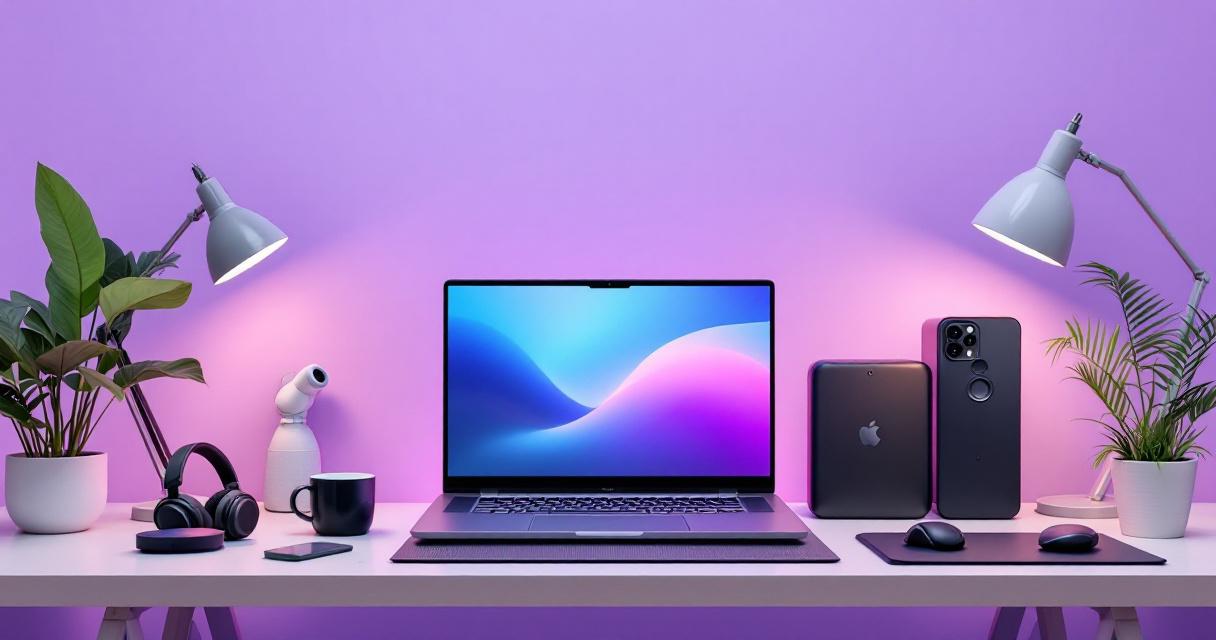
Whether you're working from a Dubai high-rise, an Abu Dhabi office, or your cozy home in Sharjah, a well-equipped laptop setup isn't a luxury—it's your productivity lifeline. We've handpicked the best laptop accessories under AED 1500 that'll transform your workspace while keeping your device cool in the UAE's scorching heat and your posture perfect during 8-hour work sessions.
The right accessories don't just make your desk look professional; they protect your investment, boost your productivity, and keep you comfortable during long working hours. In the UAE's demanding climate, where temperatures regularly exceed 40°C, laptop cooling solutions are particularly crucial. Our comprehensive guide covers everything from ergonomic stands to wireless peripherals, all curated for UAE buyers with realistic AED pricing (including 5% VAT where applicable).
1. Laptop Cooling Solutions — Essential for UAE Climate
In the UAE, where summer temperatures can push 50°C+ in direct sunlight, your laptop's thermal management is non-negotiable. Modern laptops throttle performance when overheating, reducing productivity by up to 35%. A quality cooling pad is one of the smartest investments under AED 1500.
Why Cooling Pads Matter in the UAE
Ambient heat doesn't just affect your laptop—it compounds the heat your machine generates. Without proper cooling, your laptop's internal temperature can reach 85-95°C during heavy workloads (video calls, design work, coding). This accelerates component degradation and shortens your device's lifespan. A dedicated cooling pad maintains optimal operating temperatures (55-65°C range), extending your laptop's life by years.
Dubai's average office temperature is 22-24°C (due to aggressive AC), but heat escapes from windows and doors. Position your desk 2+ meters from windows and use a cooling pad year-round for consistency.
KLIM Nova Gaming Laptop Cooling Pad
6-fan system with quiet operation, LED control, and ergonomic height adjustment. Perfect for long work sessions in Dubai's heat. Compatible with laptops 12-17 inches.
Baseus Laptop Cooling Pad (Passive — No Fan)
Silent passive cooling with aluminum mesh design. Zero noise pollution—perfect for video calls and client meetings. Lightweight and portable for hot-desking across UAE offices.
Active vs Passive: Which Cooling Pad to Choose?
| Feature | Active (Fans) | Passive (No Fans) |
|---|---|---|
| Cooling Power | Superior (4-6°C drop) | Moderate (1-2°C drop) |
| Noise Level | Audible (35-45dB) | Silent (0dB) |
| Price Range (AED) | 250-600 | 80-200 |
| Best For | Gaming, video editing, coding marathons | Office work, presentations, light tasks |
| Portability | Moderate (heavier) | Excellent (ultra-thin, lightweight) |
2. Ergonomic Laptop Stands — Desk Height & Posture
Hunching over your laptop for 8 hours straight is a recipe for neck pain, back strain, and reduced productivity. According to ergonomic studies, the ideal screen height should be at eye level when you're sitting upright, with elbows at 90 degrees. A quality stand costs AED 150-400 and prevents thousands in physiotherapy bills.
Why UAE Remote Workers Need Adjustable Stands
Many UAE home offices feature fixed-height desks (700mm) or dining tables. Laptop stands raise your screen 10-20cm, bringing it to ergonomic eye level. This simple adjustment reduces neck strain by 47%, improves breathing (better oxygen flow to brain), and makes video calls look more professional—crucial for Zoom-heavy corporate culture in Dubai and Abu Dhabi.
Screen top should align with your eye level when sitting straight. Monitor distance should be arm's length (50-60cm). Keyboard and mouse at elbow height. If you're using a laptop stand, pair it with an external keyboard and mouse for optimal ergonomics.
Rain Design mStand Laptop Stand
Minimalist aluminum design, adjustable height (11-17cm range), exceptional build quality. Perfect for the modern Dubai home office. Supports laptops up to 17 inches and 5kg weight.
AmazonBasics Adjustable Laptop Stand
Budget-friendly option with 6-level height adjustment and tilt capability. Steel construction is sturdy enough for daily hot-desking. Great for those who prefer flexibility in positioning.
3. Wireless Keyboard & Mouse — Comfort & Productivity
Your laptop keyboard and trackpad work fine for quick tasks, but extended typing causes wrist strain and repetitive stress injuries. A proper wireless keyboard (with silent mechanical or membrane switches) and ergonomic mouse dramatically improve comfort during 8-hour workdays—especially in the UAE's 24/7 work culture.
Mechanical vs Membrane Keyboards for Office Work
In a shared office or open-plan environment common in Dubai and Abu Dhabi, keyboard noise matters. Mechanical keyboards (satisfying but loud) can disturb colleagues. Membrane or scissor-switch keyboards offer silent, smooth typing. Look for brands offering both options so you can adapt to your environment.
The UAE's heavy 2.4GHz WiFi usage (thousands of networks in dense areas like JBR, Marina, Downtown Dubai) can cause interference. Choose 2.4GHz keyboards with 128-bit encryption and long-range capability, or opt for Bluetooth 5.0+ for more reliable connections. Always keep spare AA batteries for critical meetings.
Logitech MK270 Wireless Keyboard + Mouse Combo
Ultra-reliable 2.4GHz USB receiver, excellent for UAE's WiFi-dense environments. Silent keyboard, responsive mouse. Works with Windows, macOS, and Linux. Great value for a complete setup.
Alternative (Bluetooth): If you prefer fewer dongles, the Logitech Keys-to-Go wireless keyboard (AED 245) with a separate mouse allows multi-device switching—perfect if you alternate between laptop and iPad or desktop during your day.
4. Webcam & Microphone — Professional Video Call Setup
In 2026, your video presence is your professional presence. Whether you're pitching to clients in London, presenting to management in Riyadh, or attending team standups with colleagues in Dubai, built-in laptop cameras often deliver grainy, unflattering video. A quality external webcam with good microphone transforms how others perceive your professionalism.
Why External Webcams Beat Built-In Laptop Cameras
- Better framing: Position camera at eye level, not below (which adds 10 pounds on screen)
- Superior light quality: Many external cams feature better sensors for low-light office environments
- Improved microphone: Built-in laptop mics pick up keyboard noise and AC hum—external units isolate your voice
- Premium appearance: Shows clients/management you invest in professionalism
- Wide compatibility: Works with any laptop, future-proofs your setup
In the UAE's high-stakes business environment, first impressions matter. A crisp webcam and clear audio can be the difference between landing a contract and losing it to a competitor.
Position your desk 1-2 meters from a window, but with light hitting your face (not behind you—that causes backlit silhouettes). If natural light isn't possible, invest in a ring light (AED 80-200) that eliminates shadows and makes you look energetic and professional on camera.
Logitech C920 PRO HD Webcam
Industry standard for remote work. 1080p video at 30fps, excellent low-light performance, built-in stereo microphone. Compatible with every major video platform (Zoom, Teams, Google Meet). Setup takes 30 seconds.